
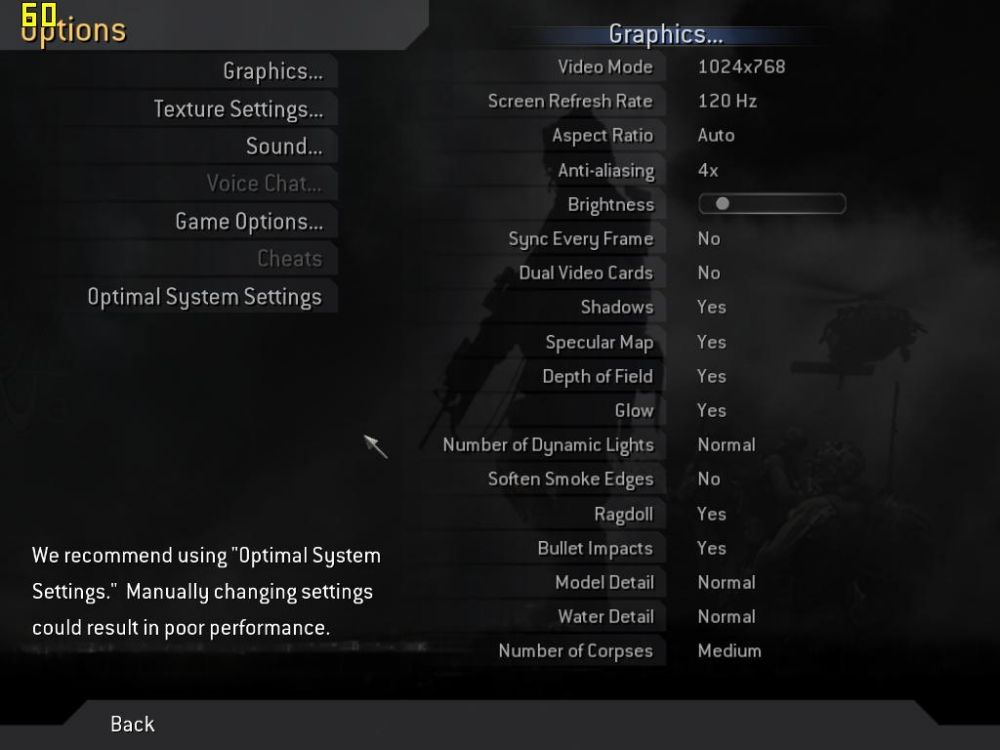
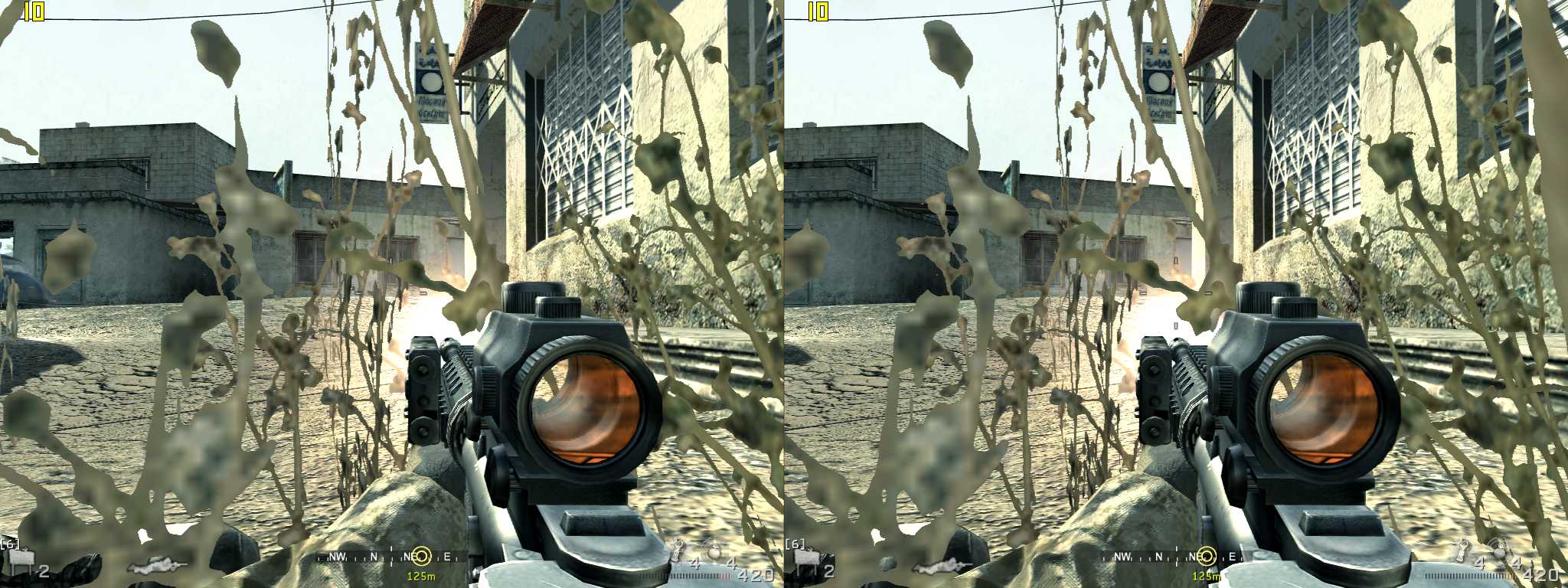
Uploaded some pics:
http://mtbs3d.com/gallery/albums/userpi ... p11_50.jpg
http://mtbs3d.com/gallery/albums/userpi ... p07_50.jpg
Call of Duty 4 Modern Warfare works
-
Freke1
- Certif-Eyable!
- Posts: 1060
- Joined: Wed Feb 28, 2007 6:40 pm
- Location: Wake Island
-
Neil

- 3D Angel Eyes (Moderator)
- Posts: 6882
- Joined: Wed Dec 31, 1969 6:00 pm
- Contact:
Submit it to the unofficial compatibility list in the gallery with settings. I think there are some post processing problems/shader problems there given that discoloration on the edges. Did you try the Dragon tool? Can you turn post processing off? That may help with the colored edges.
Regards,
Neil
Regards,
Neil
-
LukePC1

- Golden Eyed Wiseman! (or woman!)
- Posts: 1387
- Joined: Wed May 16, 2007 11:30 am
- Location: Europe
- Contact:
Hm when I tried the demo it didn't work (just crashed). Maybe it was due to dualcore. I haven't disabled one.
Maybe it's because of some progress in comparision to the demo...
I'd like to see what settings you worked with
Maybe it's because of some progress in comparision to the demo...
I'd like to see what settings you worked with
Play Nations at WAR with this code to get 5.000$ as a Starterbonus:
ayqz1u0s
http://mtbs3d.com/naw/" onclick="window.open(this.href);return false;
AMD x2 4200+ 2gb Dualchannel
GF 7900gs for old CRT with Elsa Revelator SG's
currently 94.24 Forceware and 94.24 Stereo with XP sp2!
ayqz1u0s
http://mtbs3d.com/naw/" onclick="window.open(this.href);return false;
AMD x2 4200+ 2gb Dualchannel
GF 7900gs for old CRT with Elsa Revelator SG's
currently 94.24 Forceware and 94.24 Stereo with XP sp2!

-
Neil
- 3D Angel Eyes (Moderator)
- Posts: 6882
- Joined: Wed Dec 31, 1969 6:00 pm
- Contact:
-
Freke1
- Certif-Eyable!
- Posts: 1060
- Joined: Wed Feb 28, 2007 6:40 pm
- Location: Wake Island
Aiming is like this:
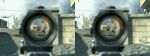
pretty good - almost same spot and lots of Separation.
I haven't tried Nvidia's lasersight.
I'm pleasently surprised - Depth of Field and Glow work also in this brand new hugely popular game with my old 91.31 drivers.
Really good news - lets tell the 8 million+ CoD 4 gamers that they can play it in 3D.
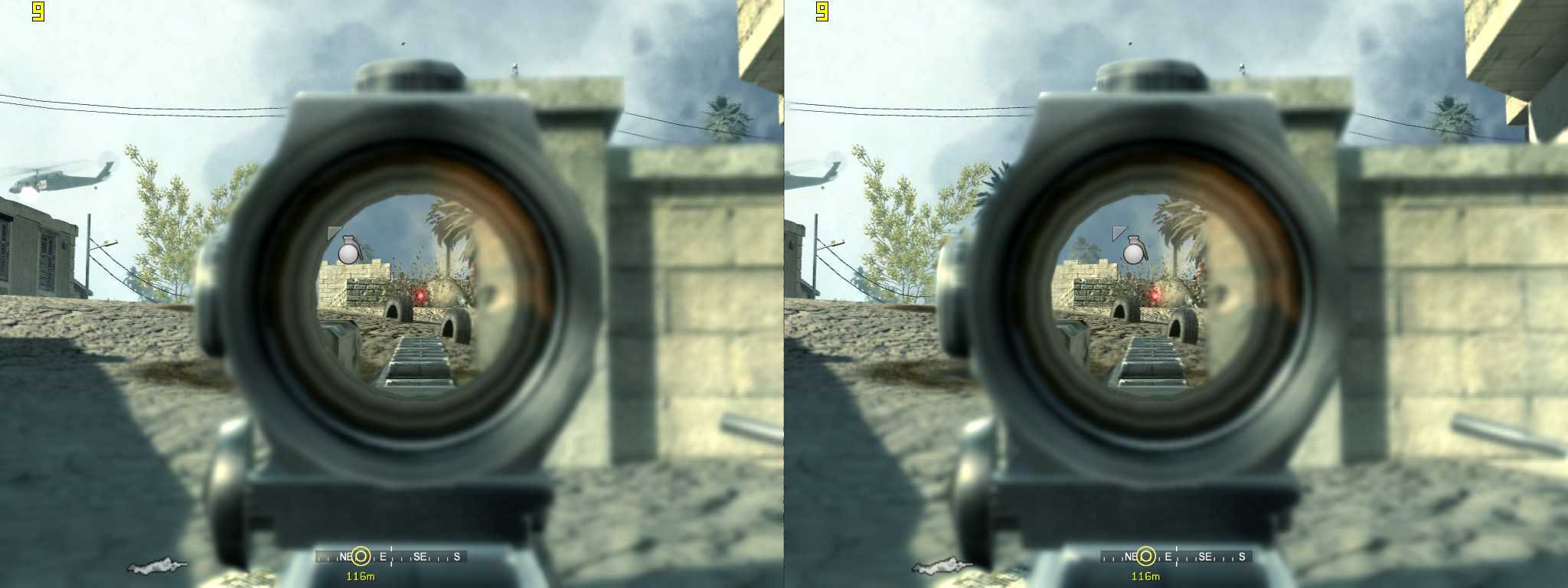
pretty good - almost same spot and lots of Separation.
I haven't tried Nvidia's lasersight.
I'm pleasently surprised - Depth of Field and Glow work also in this brand new hugely popular game with my old 91.31 drivers.
Really good news - lets tell the 8 million+ CoD 4 gamers that they can play it in 3D.
Last edited by Freke1 on Tue Feb 05, 2008 5:18 pm, edited 1 time in total.
-
shonofear

- Cross Eyed!
- Posts: 137
- Joined: Sat Dec 22, 2007 3:38 am
- Location: Down Under, Ozzie
- Contact:
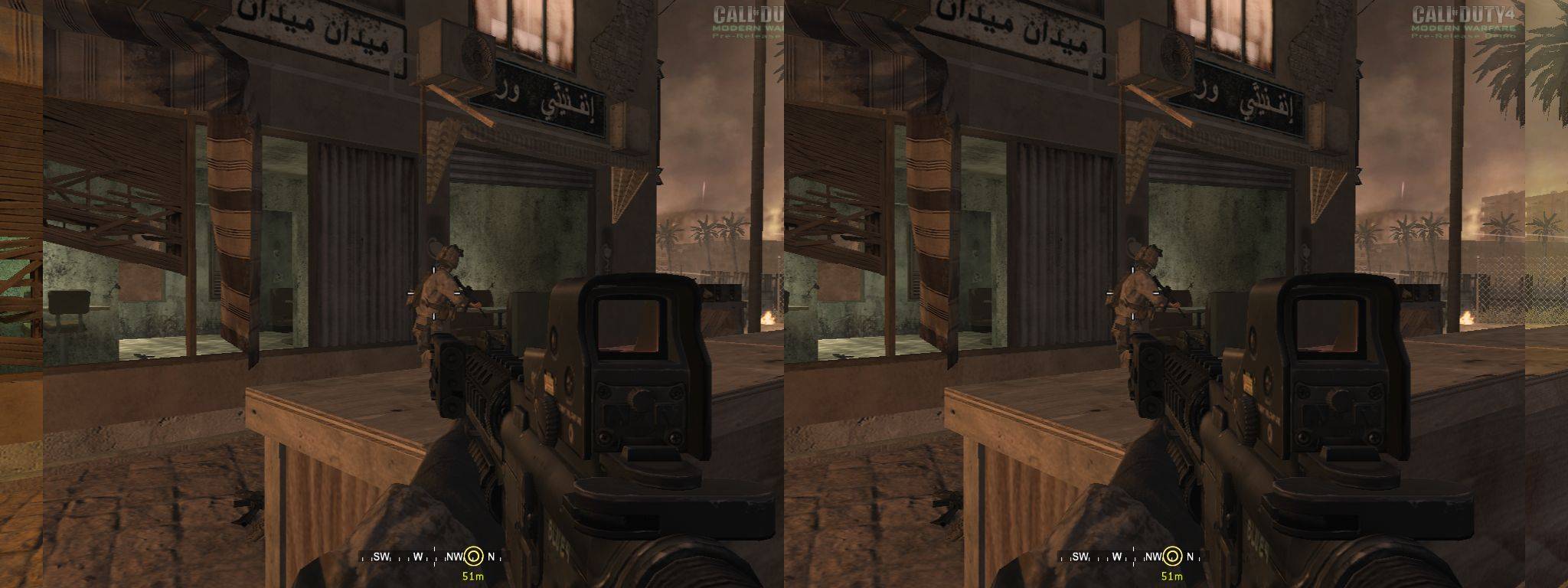
-
LukePC1
- Golden Eyed Wiseman! (or woman!)
- Posts: 1387
- Joined: Wed May 16, 2007 11:30 am
- Location: Europe
- Contact:
It looks flatshonofear wrote: do u think this is way to much seperation/convergance?

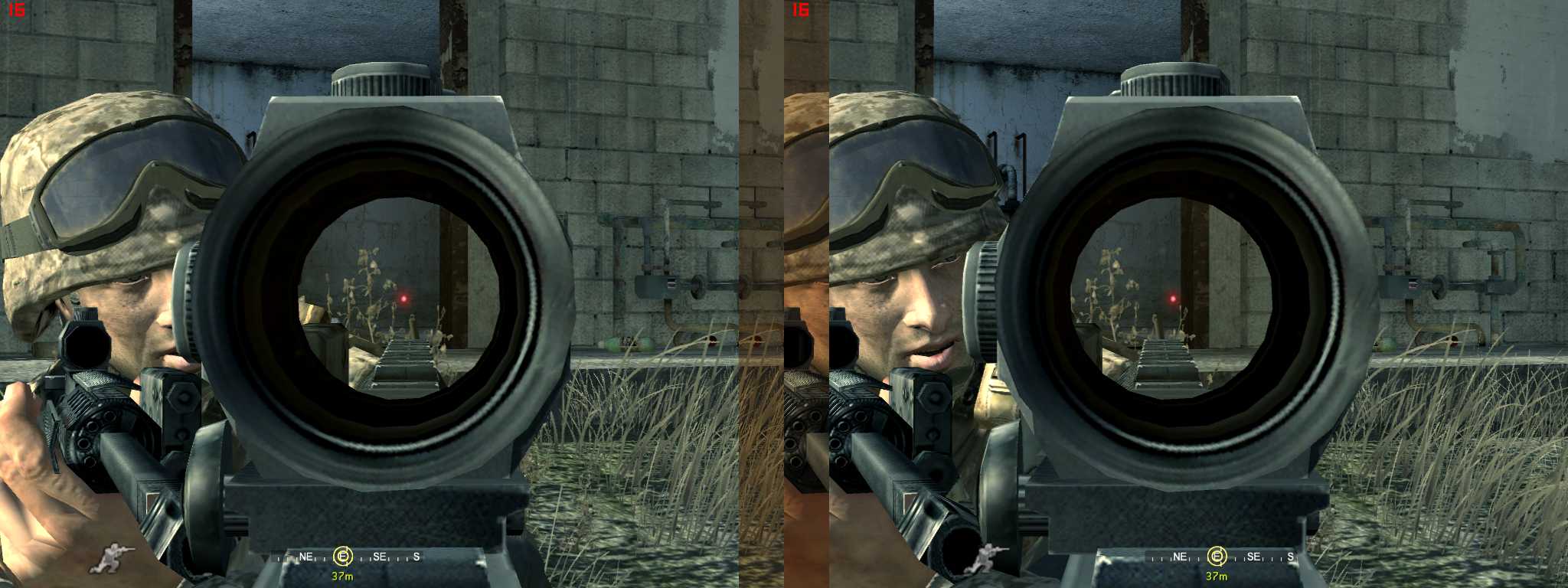
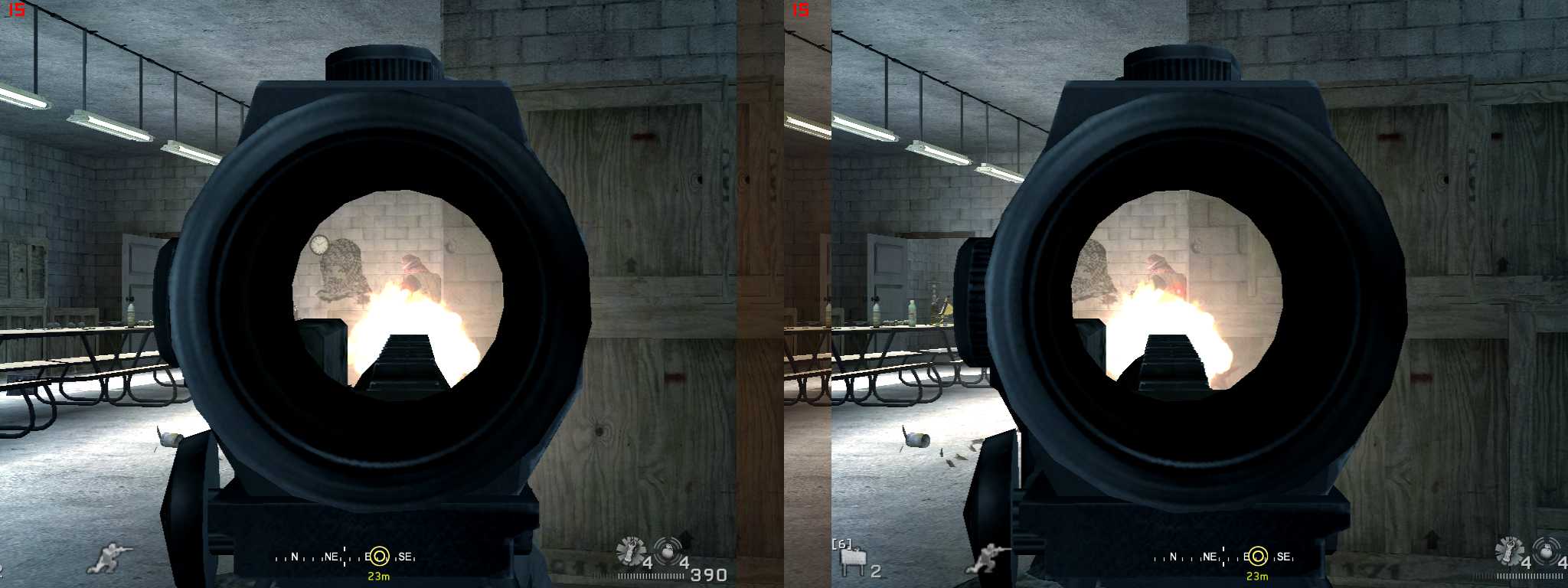
I'd say you need more convergence! Keep hitting crtl+F6 (if you use Nvidia) for a few seconds. The effect is, that ingame things near to you actually come nearer to you in real (the ones far away should stay away).
If you have pushed it too long, crtl+F5 decreases the effect
good luck and have fun
Play Nations at WAR with this code to get 5.000$ as a Starterbonus:
ayqz1u0s
http://mtbs3d.com/naw/" onclick="window.open(this.href);return false;
AMD x2 4200+ 2gb Dualchannel
GF 7900gs for old CRT with Elsa Revelator SG's
currently 94.24 Forceware and 94.24 Stereo with XP sp2!
ayqz1u0s
http://mtbs3d.com/naw/" onclick="window.open(this.href);return false;
AMD x2 4200+ 2gb Dualchannel
GF 7900gs for old CRT with Elsa Revelator SG's
currently 94.24 Forceware and 94.24 Stereo with XP sp2!

-
shonofear
- Cross Eyed!
- Posts: 137
- Joined: Sat Dec 22, 2007 3:38 am
- Location: Down Under, Ozzie
- Contact:
-
Freke1
- Certif-Eyable!
- Posts: 1060
- Joined: Wed Feb 28, 2007 6:40 pm
- Location: Wake Island
-
FlyTaggart
- One Eyed Hopeful
- Posts: 3
- Joined: Sun Feb 17, 2008 5:00 pm
Freke1, or anyone for that matter, can u plz help me out... I am tryin to get the nvidia stereo to work on Call of Duty 4 with my HMD... I have it working in other games, WoW, unreal tourna.... etc etc.. and my main game at the momment COD4 u guys say u have it working but no matter what i try, i cant get it goin...
I had it working once in cod4, but i dont think it was the correct way... u know how CTRL + F3 / F4 , increases and decreases seperation or whatever... well i started hitting those, and the screen kept sliding off, farther and farther till it lined up again and it was 3d... i was amazed, but it took my HUD off the screen, ammo counter / mini map / player names , even when i hit ESC the menu was no visable, just the in game view with a slight hue change as well, i would have to toggle ( holding it down ) CTRL + F3 / F4 to bring the screen back around again till it was normal ( no stereo ) to see the hud / menu / score board. why is that? regardless, now that doesnt even work anymore, if i hold down CTRL + F3 / F4 the screen ( ? ) / Seperation only goes alittle bit till i get those little borders on the sides, like in some of ur screen shots... and thats it... no 3d no nothing... ive tried messing with all the settings i possibly could to no success...
i have a,
Nvidia GeForce 7600 GS / 512MB - Drivers 91.31 / Stereo 91.31
my HMD is the Vuzix iWear VR920
im running windows xp home ed. sp2
COD4 v1.5
please if anyone can help, do so, from what i saw of COD4 in 3D, i wet myself in joy... plz help i would greatly apperciate it... thank you..
-taggart
I had it working once in cod4, but i dont think it was the correct way... u know how CTRL + F3 / F4 , increases and decreases seperation or whatever... well i started hitting those, and the screen kept sliding off, farther and farther till it lined up again and it was 3d... i was amazed, but it took my HUD off the screen, ammo counter / mini map / player names , even when i hit ESC the menu was no visable, just the in game view with a slight hue change as well, i would have to toggle ( holding it down ) CTRL + F3 / F4 to bring the screen back around again till it was normal ( no stereo ) to see the hud / menu / score board. why is that? regardless, now that doesnt even work anymore, if i hold down CTRL + F3 / F4 the screen ( ? ) / Seperation only goes alittle bit till i get those little borders on the sides, like in some of ur screen shots... and thats it... no 3d no nothing... ive tried messing with all the settings i possibly could to no success...
i have a,
Nvidia GeForce 7600 GS / 512MB - Drivers 91.31 / Stereo 91.31
my HMD is the Vuzix iWear VR920
im running windows xp home ed. sp2
COD4 v1.5
please if anyone can help, do so, from what i saw of COD4 in 3D, i wet myself in joy... plz help i would greatly apperciate it... thank you..
-taggart
-
Freke1
- Certif-Eyable!
- Posts: 1060
- Joined: Wed Feb 28, 2007 6:40 pm
- Location: Wake Island
I think I used "Dragon 3D stereo Game Utility".
(You can find it in MTBS3D's Download section or here: http://www.3d.wep.dk/download.html,
how to use it: http://www.3d.wep.dk/dragon.html)
adjusting the 3D was a little different than other games:
make sure distant object separate to the right for right eye and to the left for left eye because the opposite is possible.
I just messed around with separation and convergence until it was like I wanted.
I also used the 91.31 drivers but I have no HMD.
(You can find it in MTBS3D's Download section or here: http://www.3d.wep.dk/download.html,
how to use it: http://www.3d.wep.dk/dragon.html)
adjusting the 3D was a little different than other games:
make sure distant object separate to the right for right eye and to the left for left eye because the opposite is possible.
I just messed around with separation and convergence until it was like I wanted.
I also used the 91.31 drivers but I have no HMD.
-
LukePC1
- Golden Eyed Wiseman! (or woman!)
- Posts: 1387
- Joined: Wed May 16, 2007 11:30 am
- Location: Europe
- Contact:
Your problem might also be, that you didn't hit crtl+F6 long enough (btw. you can decrease the effect with crtl+F5).
I had to hold it down, until the first layer of Post-Processing was gone out of the screen at the left and right side. Behind that the window to S-3D opened 8)
I hope one of the solutions work
I had to hold it down, until the first layer of Post-Processing was gone out of the screen at the left and right side. Behind that the window to S-3D opened 8)
I hope one of the solutions work
Play Nations at WAR with this code to get 5.000$ as a Starterbonus:
ayqz1u0s
http://mtbs3d.com/naw/" onclick="window.open(this.href);return false;
AMD x2 4200+ 2gb Dualchannel
GF 7900gs for old CRT with Elsa Revelator SG's
currently 94.24 Forceware and 94.24 Stereo with XP sp2!
ayqz1u0s
http://mtbs3d.com/naw/" onclick="window.open(this.href);return false;
AMD x2 4200+ 2gb Dualchannel
GF 7900gs for old CRT with Elsa Revelator SG's
currently 94.24 Forceware and 94.24 Stereo with XP sp2!
-
FlyTaggart
- One Eyed Hopeful
- Posts: 3
- Joined: Sun Feb 17, 2008 5:00 pm
i have finally figured out that convergence and seperation are 2 seperate things.. and hwo to control them seperately... and i can see that i can hold F6 + CTRL like LukePC said... to get the 3d working... i can do it at will now.. thank you..
also i messed around with dragon's tool but every combination of settings ive messed with seems to lock COD4 hard.. and i have to do a hard shut down/ restart to get to windows again , ugh.. ive yet to check that link Freke1 .. i will...
but still problem remains.. S3D yes... but no HUD.. i cant identify players or my kills or menus or mini map etc etc... LUKEPC does this happen for you as well? sounds like u have a similiar situation
also i messed around with dragon's tool but every combination of settings ive messed with seems to lock COD4 hard.. and i have to do a hard shut down/ restart to get to windows again , ugh.. ive yet to check that link Freke1 .. i will...
but still problem remains.. S3D yes... but no HUD.. i cant identify players or my kills or menus or mini map etc etc... LUKEPC does this happen for you as well? sounds like u have a similiar situation
-
LukePC1
- Golden Eyed Wiseman! (or woman!)
- Posts: 1387
- Joined: Wed May 16, 2007 11:30 am
- Location: Europe
- Contact:
It's a while since I played Cod4, but there might be a compromise with the hud - I don't remember exactly. Maybe you can see only your amunation, or you can get the most important parts of the hud, if you choose moderate values for seperation and convergence (e.g. low seperation, high convergence).
I was able to see the granade warning as well - if I paid attention to it
Unfortunatly there are a lot of games, that don't support the old Nvidia driver fully. Many have bad depth and/or popout, if you want to use the hud...
I advise you to experiment a little. You should be able to save the Settings with crtl+F7 btw.
I was able to see the granade warning as well - if I paid attention to it
Unfortunatly there are a lot of games, that don't support the old Nvidia driver fully. Many have bad depth and/or popout, if you want to use the hud...
I advise you to experiment a little. You should be able to save the Settings with crtl+F7 btw.
Play Nations at WAR with this code to get 5.000$ as a Starterbonus:
ayqz1u0s
http://mtbs3d.com/naw/" onclick="window.open(this.href);return false;
AMD x2 4200+ 2gb Dualchannel
GF 7900gs for old CRT with Elsa Revelator SG's
currently 94.24 Forceware and 94.24 Stereo with XP sp2!
ayqz1u0s
http://mtbs3d.com/naw/" onclick="window.open(this.href);return false;
AMD x2 4200+ 2gb Dualchannel
GF 7900gs for old CRT with Elsa Revelator SG's
currently 94.24 Forceware and 94.24 Stereo with XP sp2!
-
FlyTaggart
- One Eyed Hopeful
- Posts: 3
- Joined: Sun Feb 17, 2008 5:00 pm
-
3Dward
- One Eyed Hopeful
- Posts: 28
- Joined: Sat Dec 22, 2007 3:38 am
When using a near convergence (just to have some pop out), aiming becomes nearly impossible.
Am down to only using SMGs since i can't aim farther than 12 meters...
So, did anyone manage to get the Nvidia crosshair to work ?
I tried editing the profile in the registry : "LaserSight = 000001" but that didnt make it.
When i compare to quake 3 profile there seem to be corrective factors for the crosshair X and y coordinates ... did anyone try messing with those values at all ?
Am down to only using SMGs since i can't aim farther than 12 meters...
So, did anyone manage to get the Nvidia crosshair to work ?
I tried editing the profile in the registry : "LaserSight = 000001" but that didnt make it.
When i compare to quake 3 profile there seem to be corrective factors for the crosshair X and y coordinates ... did anyone try messing with those values at all ?